Built for people who actually read
Everything you need to keep a personal library, and nothing that gets in the way of the page.
Every common format
EPUB, MOBI, AZW, AZW3, FB2, TXT, PDF and CBZ (or a plain ZIP of images). Add a file and LeafReader picks the right reading experience for it automatically.
Completely offline
No account, no sign-in, no telemetry. LeafReader never connects to a server, so your books and reading habits stay on your computer.
Highlights and notes
Highlight passages, attach notes, drop bookmarks and organise them with tags. Export everything as Markdown whenever you want it elsewhere.
Search your whole library
Remember a passage but not the book? Search the full text of every title at once, or find any phrase inside the book you are reading.
A page that suits you
Five themes from Warm Paper to Night, four typefaces, and adjustable size, spacing and line length. Read in clean pages or continuous scroll, in full screen if you like.
Read aloud
Have any book narrated by a voice already installed on your PC, with the spoken sentence highlighted and pages turning on their own.
Vertical Japanese
Japanese novels read top to bottom, right to left, with ruby readings — the way they were typeset. Manga turns its pages right to left.
Comics and manga
Two-page spreads that keep double-page art whole, a continuous strip for webtoons, and page thumbnails to jump anywhere.
PDFs you can select
PDF pages keep a real text layer, so you can select, copy and search them instead of staring at flat images. Single pages, spreads or one continuous scroll.
A closer look
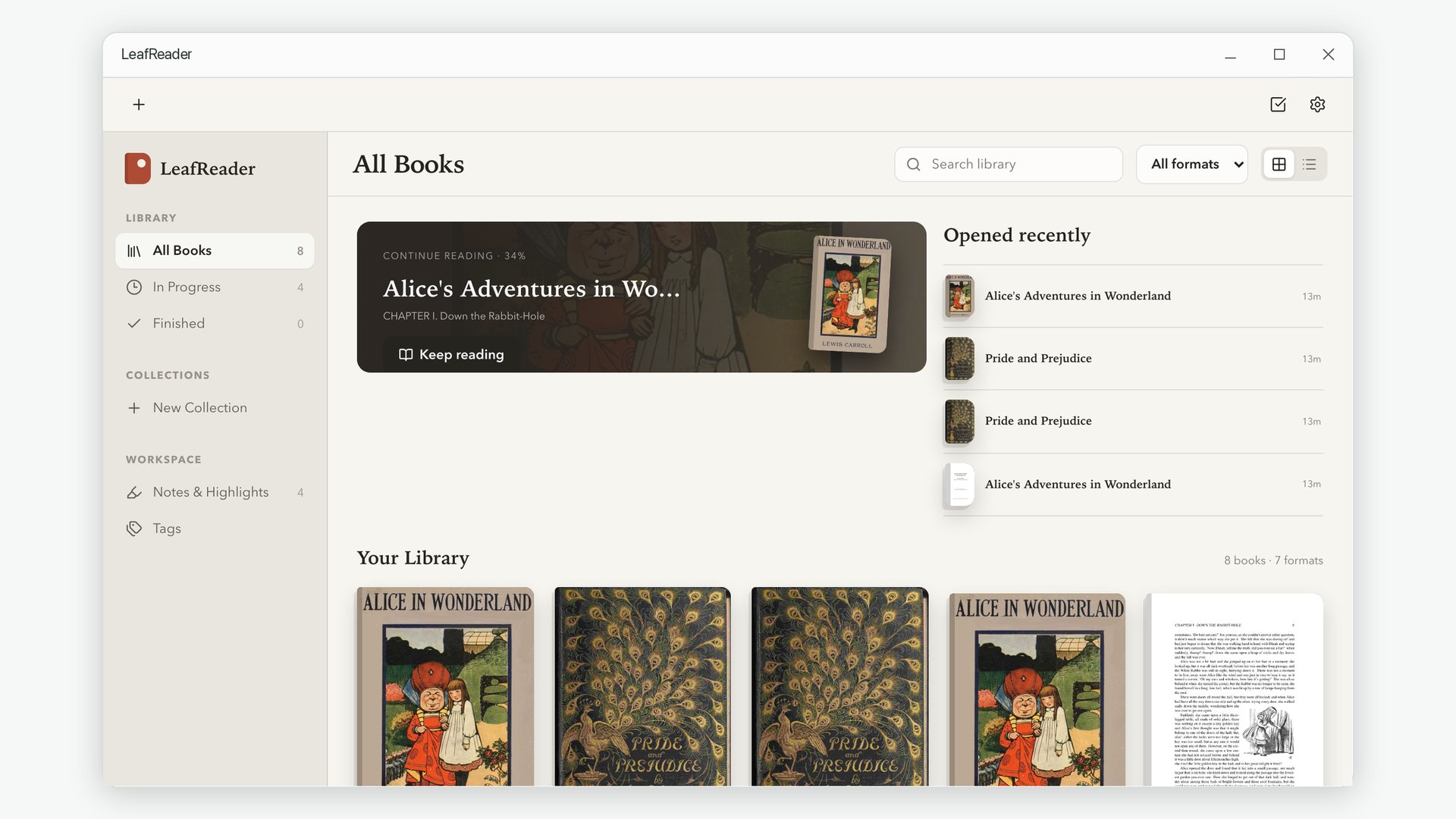
Every screen below is the real app, reading real public-domain books.
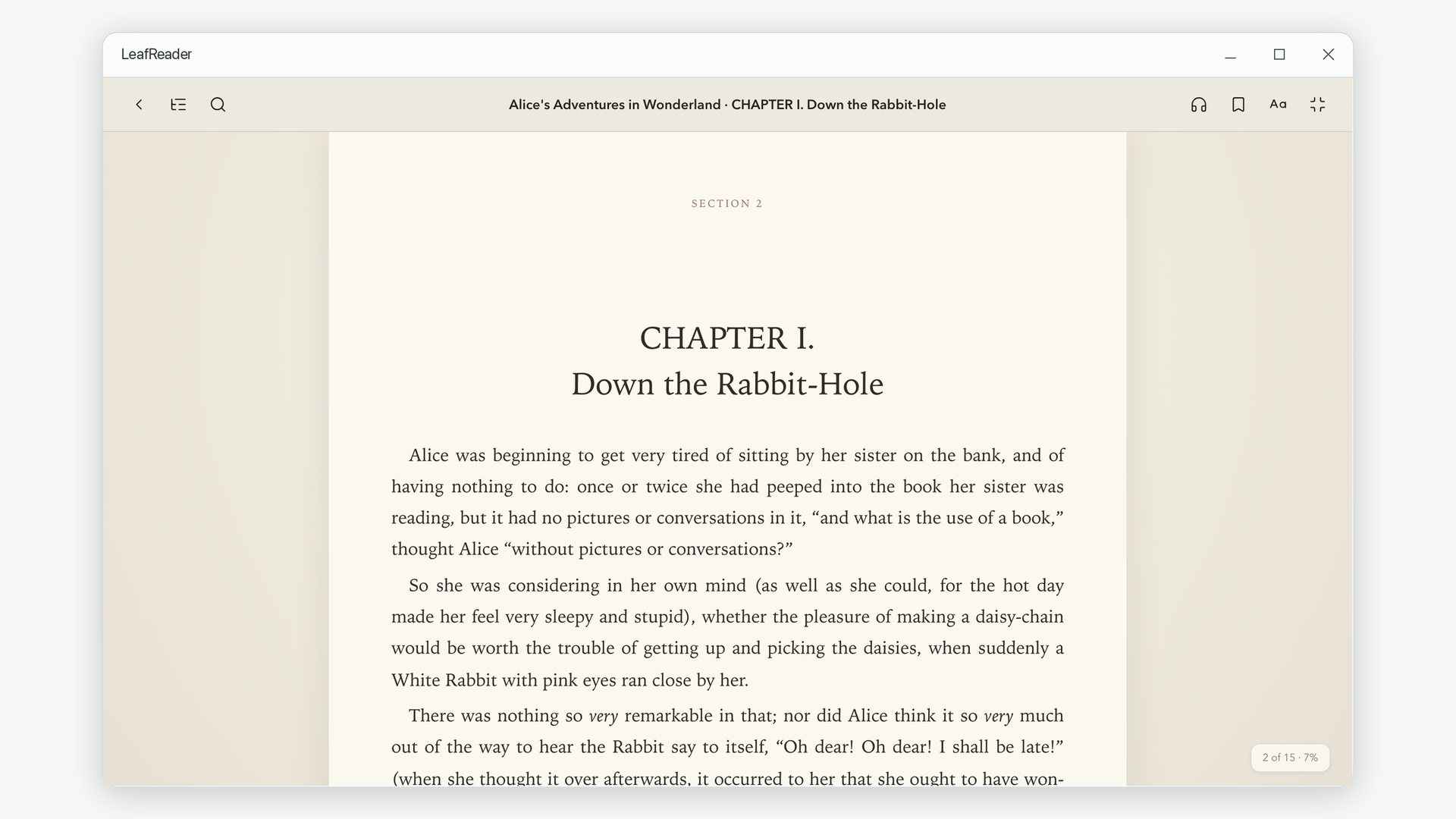
A page made for long reading
Book typography with sensible line lengths, warm paper tones and nothing else on screen. Pick up exactly where you stopped.
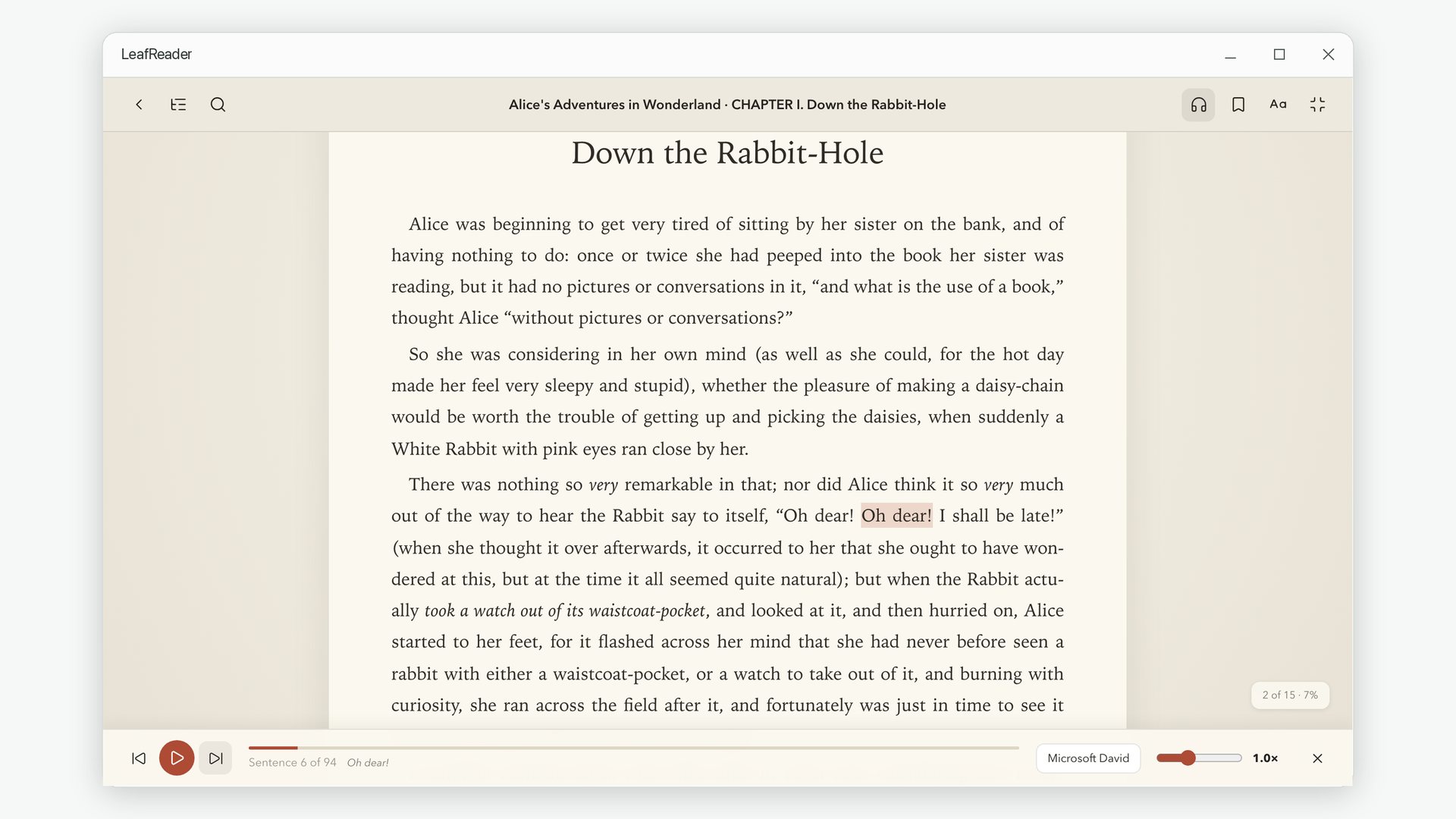
Let the book read to you
Narration with any installed voice, a highlight that follows the spoken sentence, and controls for pace, voice and skipping.
Vertical text for Japanese books
Tategaki layout with ruby readings above the kanji, read right to left the way the book was meant to be read.

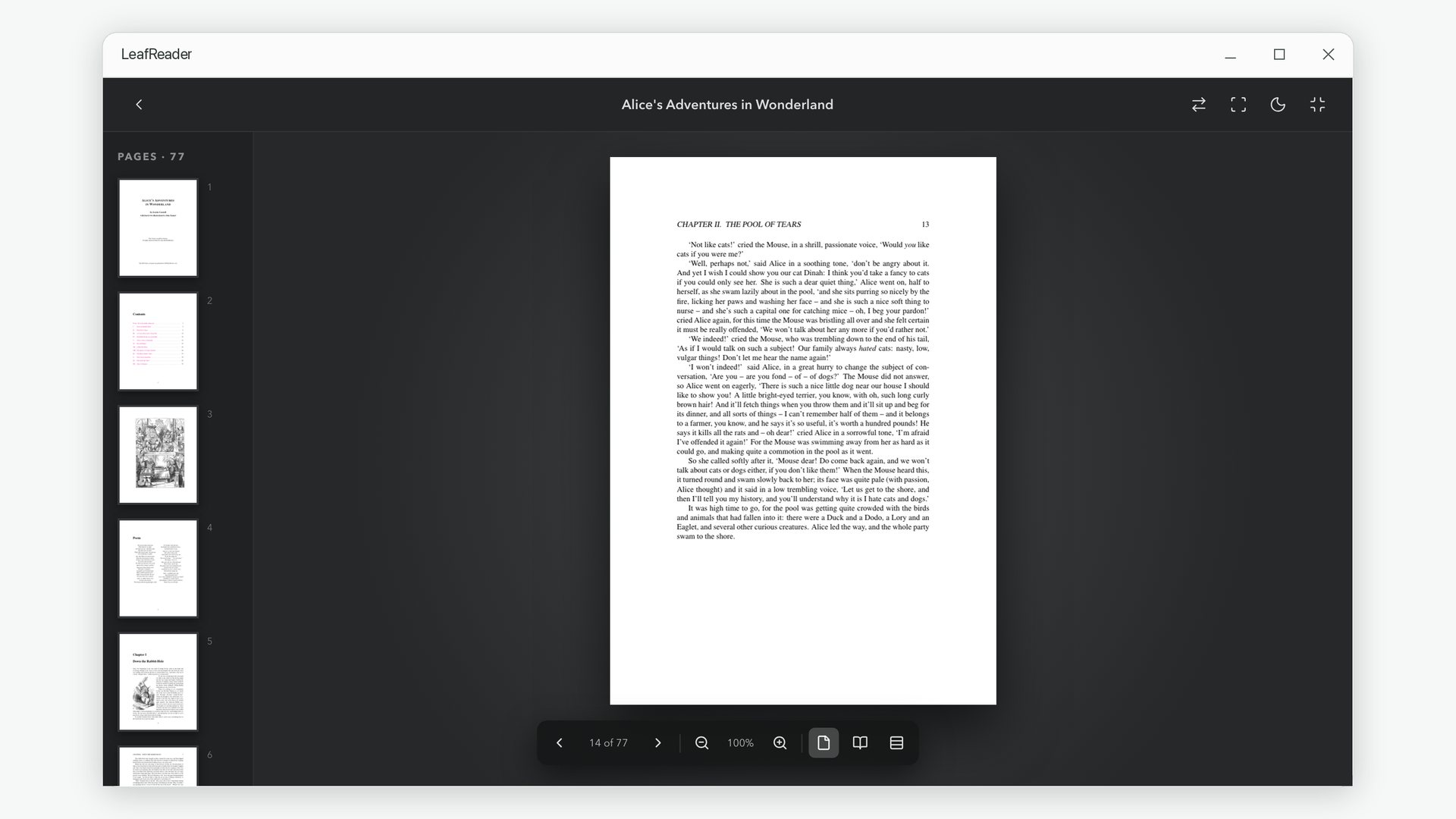
PDFs with selectable text
Sharp pages with a real text layer, thumbnails and the document outline, plus zoom, spreads and a dark page mode.
Comics as two-page spreads
Facing pages side by side, wide art kept whole, and right-to-left order for manga.

Notes you can find again
Every highlight, note and bookmark in one place, filterable by type and tag, and exportable as Markdown.

How It Works
Three steps from a folder of files to a library you enjoy opening.
Add your books
Pick individual files or point LeafReader at a folder holding hundreds. Large imports keep running in the background while you read.
Shape your shelf
Covers, titles and authors are read from the files themselves. Group titles into collections, mark favorites and track what you have finished.
Read and keep notes
Set the theme and type to your liking, highlight as you go, and come back to any book exactly where you left off.
From the Blog
Practical guides to the reading problems people actually run into on Windows.
How to Open EPUB Files on Windows 11
Windows has no built-in EPUB reader any more. Here is what to use instead, and how to set it up.
How to Read MOBI and AZW3 Kindle Files on Windows
What the Kindle formats are, why some files will not open anywhere, and how to read the ones that will.
Why You Can't Copy Text from a PDF
Scans, image-only readers and broken font tables — the real reasons selection fails, and what fixes each.
Listening to Ebooks on Windows: A Step-by-Step Tutorial
Turn any EPUB, Kindle or TXT book into narration with the voices already on your PC.
Frequently Asked Questions
The things people ask before installing.
Do my books or notes ever leave my computer?
No. LeafReader does not connect to any server. Your books, highlights, notes and reading progress are stored in a folder on your own PC and are never uploaded, synced or analysed.
Do I need an account or an internet connection?
Neither. There is no sign-up, no login and no subscription. The app works exactly the same with your network turned off.
Which formats can it open?
EPUB, MOBI, AZW, AZW3, FB2, TXT, PDF and CBZ (or a plain ZIP of images). That covers most ebooks, documents and comic archives you are likely to own.
Can it open books bought from Kindle or other stores?
LeafReader opens files you have on disk that are not protected by DRM. Books still locked to a store's DRM cannot be opened by any third-party reader, including this one.
Can I get my highlights and notes out again?
Yes. Every highlight, note and bookmark can be exported as Markdown, so you can move your thinking into any note-taking app you already use.
Will importing a big folder freeze the app?
No. Books appear on your shelf immediately and are processed in the background, so you can start reading right away. If you close the app mid-import, it resumes where it stopped.
Does it collect any analytics?
None at all. There is no telemetry, no crash reporting and no analytics of any kind. See the Privacy Policy for the full detail.
Can it read books aloud?
Yes, for EPUB, MOBI, AZW3, FB2 and TXT books. It uses the speech voices already installed in Windows, so narration also works offline. Each book remembers its own voice.
What languages does it support?
English, Simplified Chinese, Traditional Chinese, Japanese, Korean, French, German, Spanish and Italian.